
Mobile optimized maps with GPS locator
Your maps, on any device
Whether you're on the other side of town or the other side of the world, take your maps with you. BatchGeo's mobile-optimized maps look good and works smoothly on any device with a web browser. Even better, we'll use GPS to provide you and your customers with contextual maps that change based on your location.
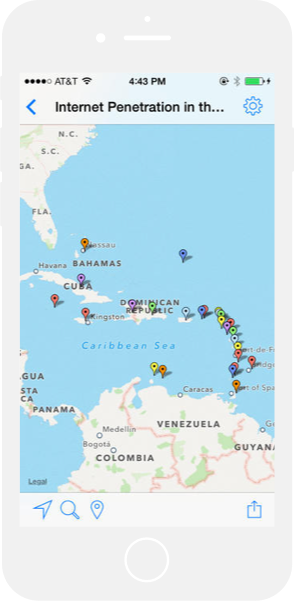
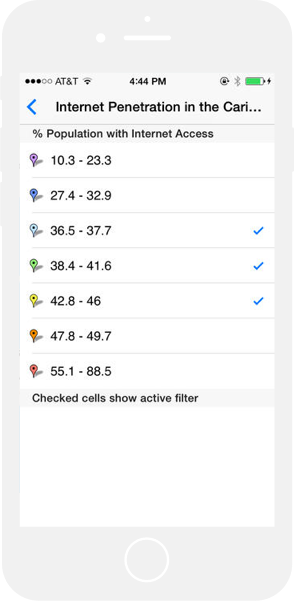
Want to create a map that automatically routes mobile users to the nearest location? Our service has this built in to every map created. You don't need to do anything special to give your map a mobile version. Just follow the simple steps on BatchGeo to create a mobile-optimized locator map.
We've taken extra care so that our maps work on desktops, laptops, and every phone and tablet platform. Specifically, we tested BatchGeo on these mobile devices:
- iPhone and iPad (native app)
- Android
- Blackberry
- Windows Phone 7
We will optimize BatchGeo for all mobile platforms as they are released. Let us know if we're missing your device.
Try our mobile maps for yourself
The absolute best way to appreciate BatchGeo's mobile maps is to make one yourself. The second-best way is to view one of our sample maps on your mobile device. Check out this map of US National Parks.
BatchGeo is made to automatically size itself to the appropriate dimensions of your mobile device, so you might even think you're using a native app. Adding to that illusion is the slickness of the zooming and panning. If you approve access to the GPS, the map will even start in your vicinity and mark your exact location.
Share mobile maps with your team
It's great to use BatchGeo alone, but it's even more powerful when you can share it with your team—or your customers. Sharing your mobile maps is easy because the web address, or URL, is the same as the non-mobile version. By employing responsive design, we automatically render maps specifically to your device.
To share a public or unlisted map:
- Copy the URL from the location bar using Ctrl+C (Cmd+C on Mac). For example: batchgeo.com/map/national-parks
- Paste that URL in an email, text message, or on a social network
That's it! No matter what device the recipient uses to view your map, they'll have a good experience.
Mobile app
Pro users can also share maps with their team, as well as password protect on a per-map basis.
For easy access to all of your maps, and even better performance, consider the BatchGeo native app.

Frequently Asked Questions
Are BatchGeo maps automatically optimized for mobile devices?
Yes. Every BatchGeo map uses responsive design to automatically adapt to any screen size. You don't need to create a separate mobile version. The same map URL works on desktops, tablets, iPhones, Android phones, and other devices.
Does BatchGeo use GPS on mobile devices?
Yes. When a user opens a BatchGeo map on a mobile device and grants location access, the map automatically centers on their current position and marks their location. This is especially useful for store locator maps where users want to find the nearest location.
Is there a BatchGeo mobile app?
Yes. The BatchGeo mobile app is available for iOS and provides quick access to all your saved maps, driving directions, and easy sharing. Maps also work great in any mobile web browser without the app.
What mobile platforms does BatchGeo support?
BatchGeo maps work on all modern mobile platforms including iOS (iPhone and iPad), Android, and mobile web browsers. We continuously test and optimize for new devices and operating systems as they are released.
Can I share a BatchGeo map link via text message?
Yes. Every BatchGeo map has a unique URL that works on any device. Copy the URL and send it via text message, email, social media, or any messaging app. Recipients can view the full interactive map on their phone without installing anything.